

Creating a Project
Projects are the core unit of organization in CoreFix. Each project maps to either a web application or a code repository and holds all scan results, settings, and access controls for that target.
To get started, go to Projects and click the + (Plus) icon in the top toolbar.

Select the type of project you want to create.
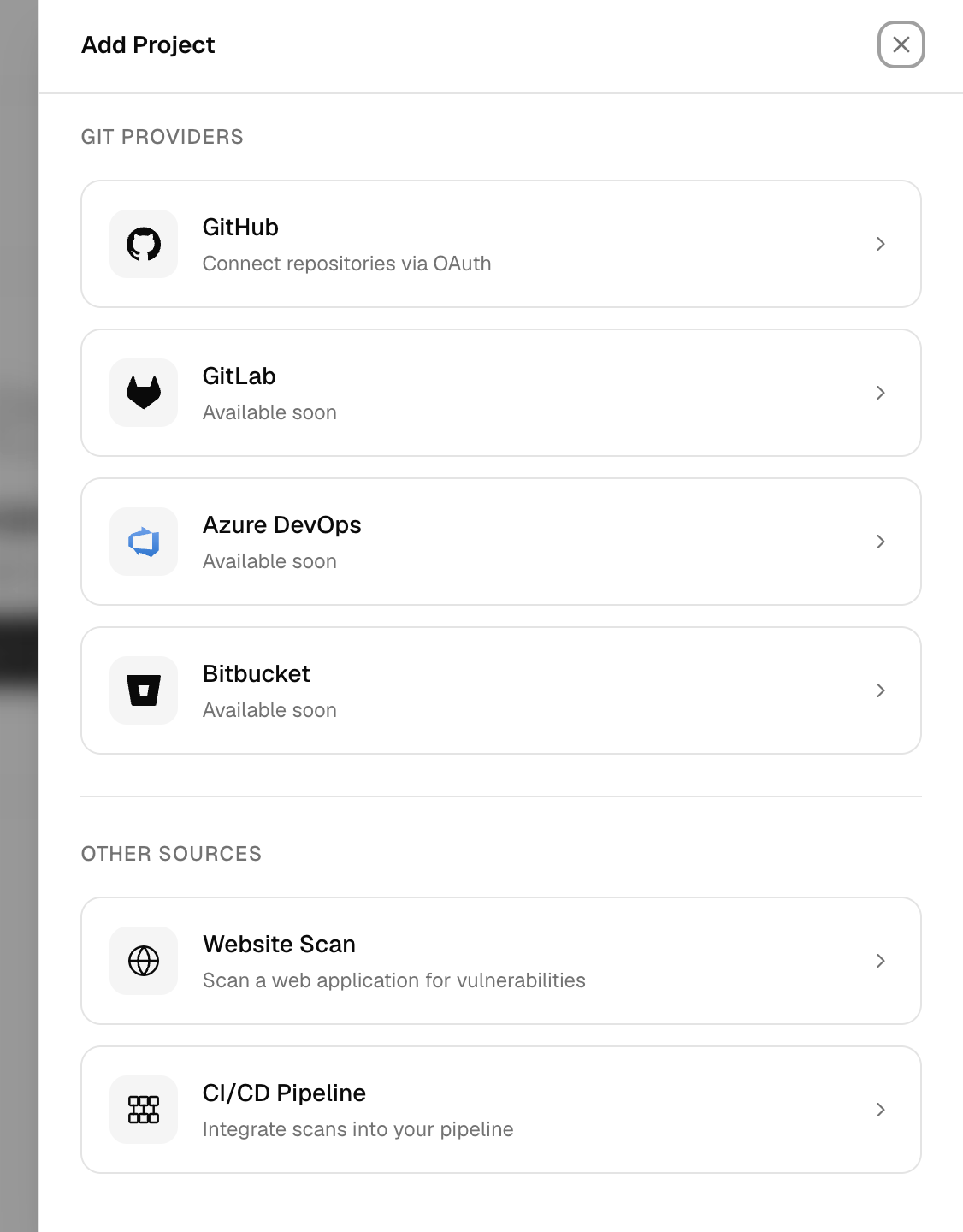
CoreFix supports three ways to create a project — Web Application, Code Repository, and CI/CD Pipeline — each described in the sections below.
Web Application Project
Use this when your target is a live web application accessible via URL.
- Go to Projects and click the + (Plus) icon in the top toolbar.
- Select Website Scan.
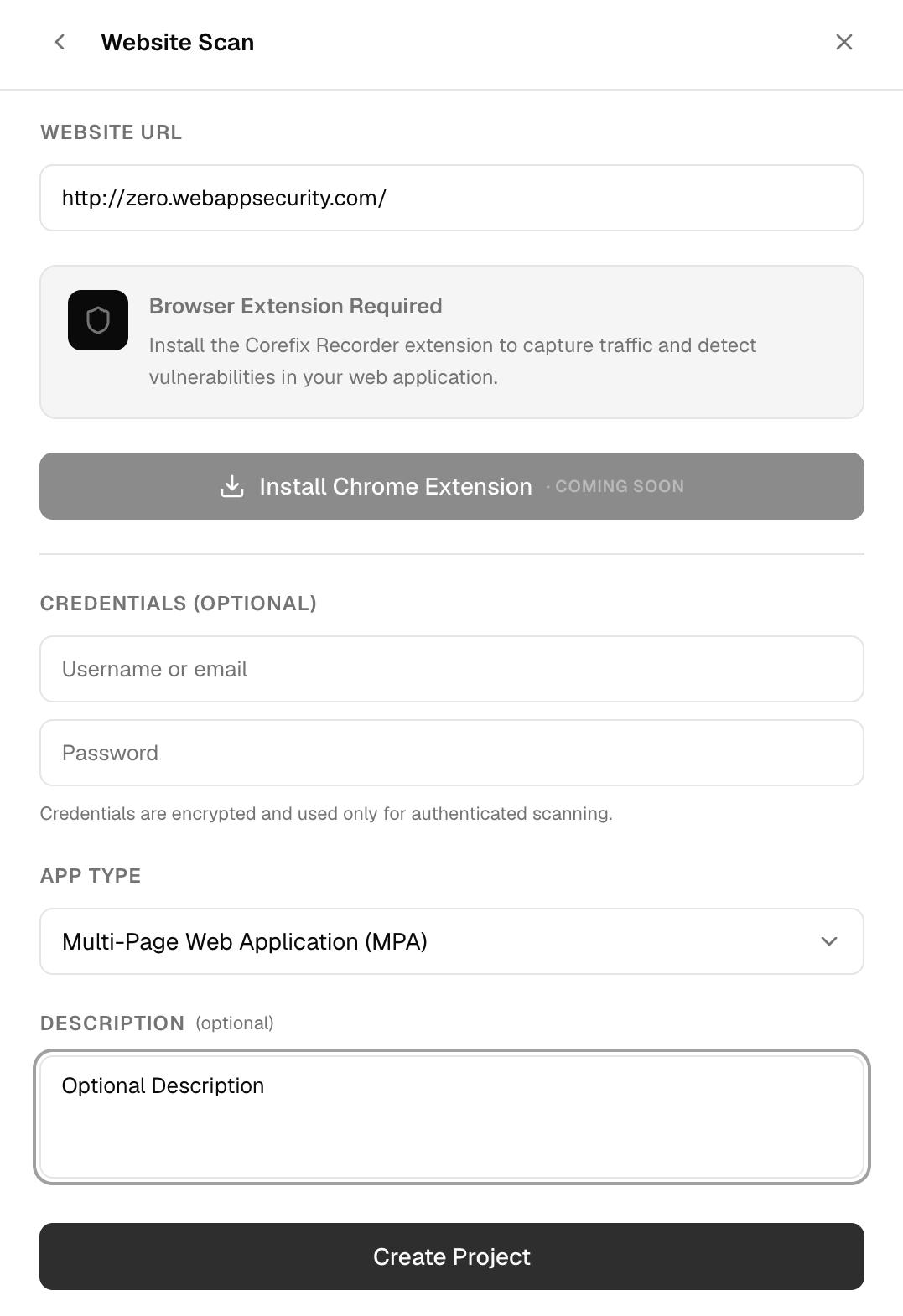
- Fill in the project details:
| Field | Required | Description |
|---|---|---|
| URL | Yes | Full URL of the web application (e.g. https://app.example.com) |
| App Type | No | Architecture of the application (see below) |
| Credentials | No | Username and password for authenticated scanning |
| Description | No | Optional label for the project |
Note: Email sharing and scan schedule are configured after project creation via Project Settings.
App Types
| Value | Use when… |
|---|---|
| SPA | Single Page Application — React, Vue, Angular, etc. |
| HTML | Traditional multi-page server-rendered site |
| Legacy | Complex or non-standard application structure |
| API | REST or GraphQL API endpoint |
- Click Create Project.
The project name is automatically derived from the hostname of the URL (e.g. app.example.com). On creation, a report password and project URL are generated — save the password immediately as it is shown only once and is not stored in recoverable form.
Code Repository Project
Use this to connect a Git repository for source-code security scanning.
- Go to Projects and click the + (Plus) icon.
- Select Code Scan.
- Click your Git provider to begin the OAuth integration:
| Provider | Status |
|---|---|
| GitHub | Supported |
| GitLab | Coming soon |
| Bitbucket | Coming soon |
| Azure DevOps | Coming soon |
- You will be redirected to the provider's OAuth authorization page. Grant access to the repositories you want to connect.
- Once authorized, CoreFix redirects you back and automatically creates a project for each connected repository.
Currently, only GitHub is supported. GitLab, Bitbucket, and Azure DevOps integrations are in progress.
GitHub App (Zero Setup)
The fastest way to connect a GitHub repository — no manual project creation needed.
- Click the GitHub icon in the top navigation bar (right side, aligned with the search bar).

- Authorize the CoreFix GitHub App.
- Select your owner or organization.
- Select the repository to connect.
- Click Install.
CoreFix redirects you back to the Projects page with the repository already listed. Each connected repository gets its own project and report password, sent to the organization's primary email automatically.
If a repository is reconnected after the app is reinstalled, the existing project record is updated rather than duplicated.
CI/CD Pipeline Project
Use this to integrate CoreFix into an existing CI/CD pipeline. Scan results are pushed to CoreFix each time the pipeline runs.
- Go to Projects and click the + (Plus) icon.
- Select CI/CD Pipeline.
- Choose your pipeline platform:
| Platform | Status |
|---|---|
| GitHub Actions | Supported |
| GitLab Runner | Supported |
| Jenkins | Supported |
| Circle CI | Supported |
| Azure DevOps Pipelines | Coming soon |
| Bitbucket Pipelines | Coming soon |
| Travis CI | Coming soon |
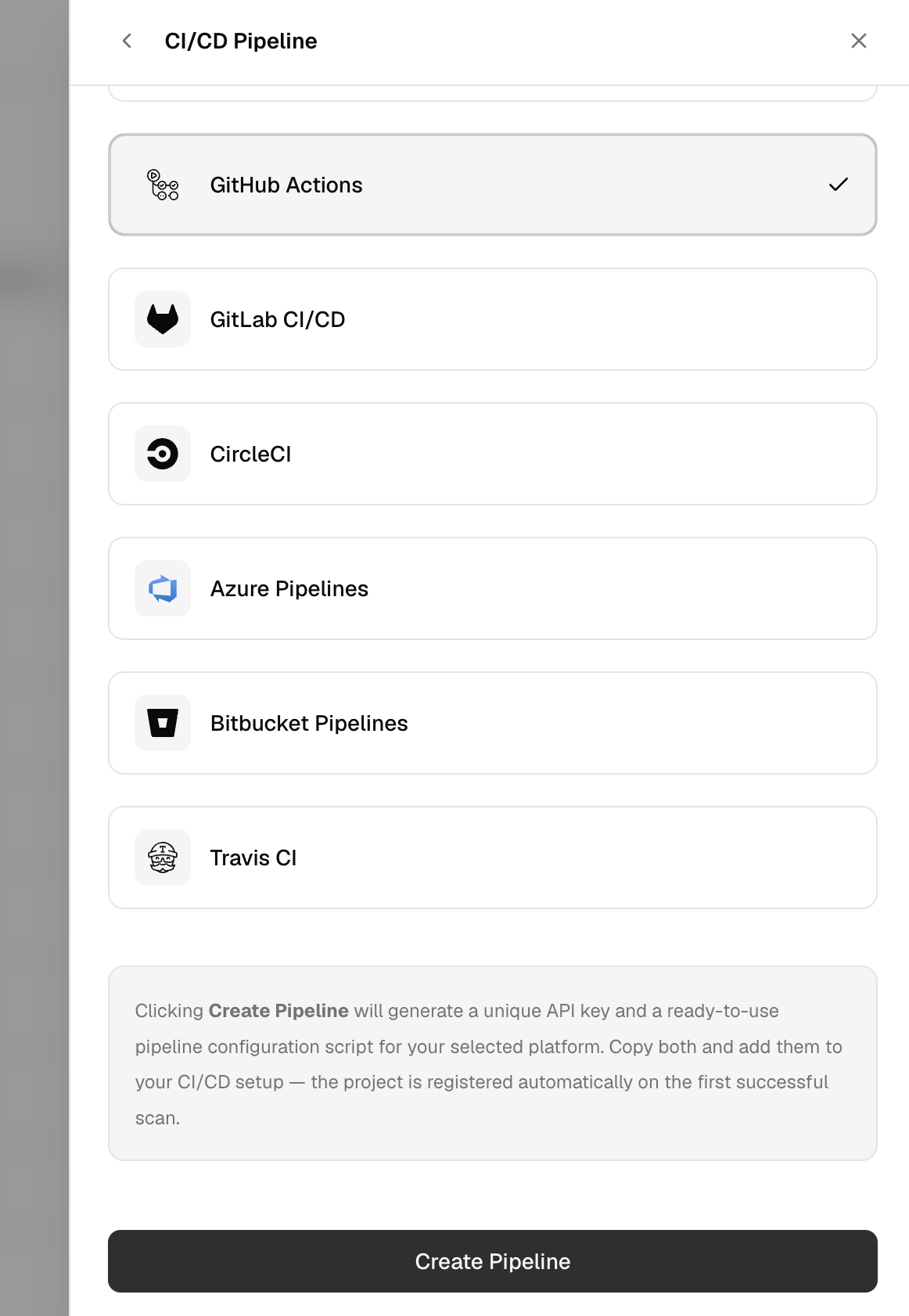
- Click Create Pipeline.
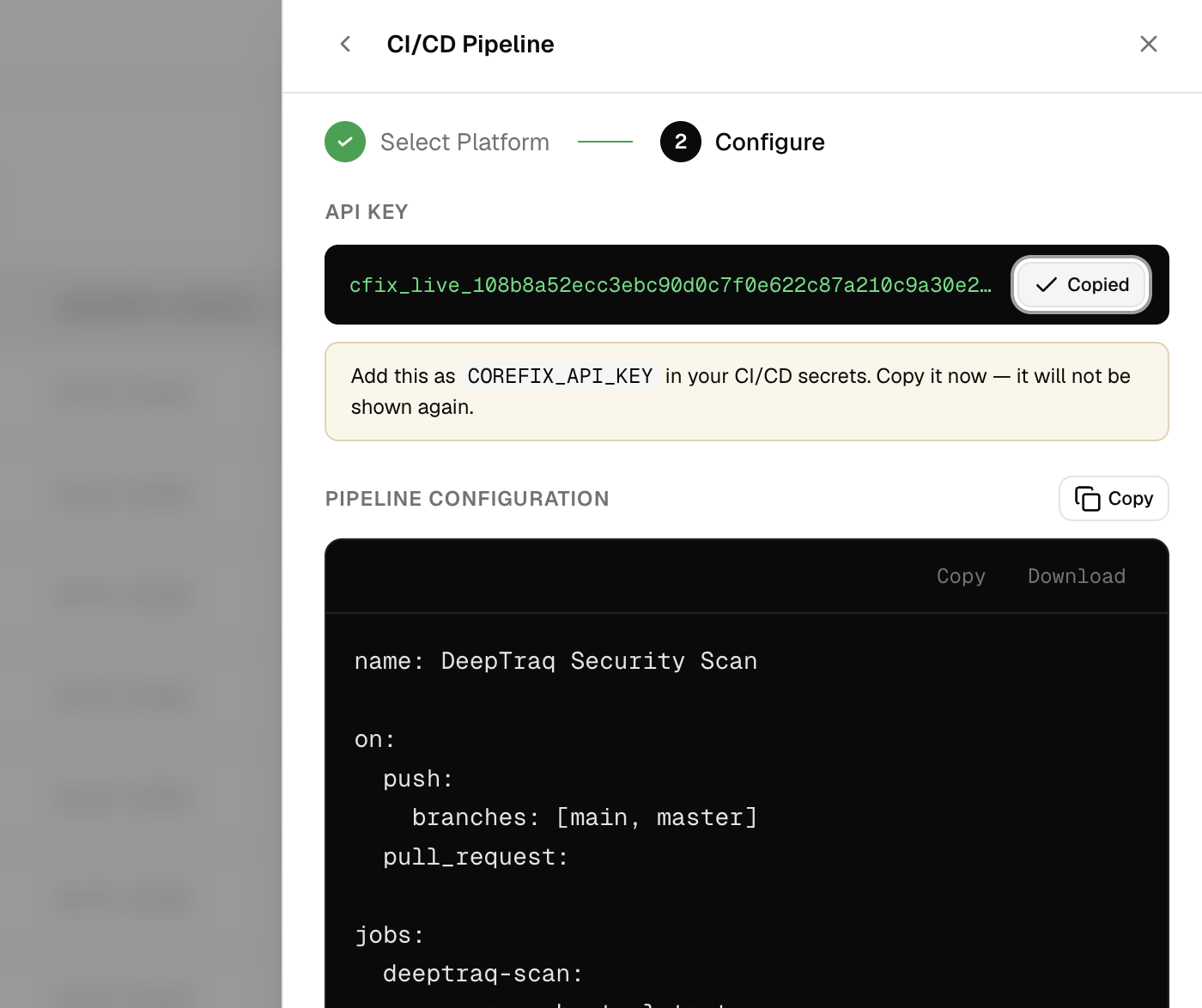
CoreFix generates a unique API key and a ready-to-use pipeline script for your chosen platform. You can either:
- Copy the full script as a new file to add to your repository, or
- Copy the job step and paste it into your existing pipeline configuration.
Important: The API key is shown only once — copy and store it securely before closing this screen.
Projects Only Appear After the First Pipeline Run
CI/CD pipeline projects are not visible in the Projects list until the pipeline runs for the first time and pushes scan results to CoreFix. Once your pipeline executes successfully, the project will appear automatically with the first set of findings.
Plan Limits
CoreFix does not currently enforce any limits on the number of code repositories or web application projects. Create as many projects as you need.
Plan-based limits will be introduced in a future release once billing and subscription plans are available.